Bulk Comments for Jira icon Jira App

Bulk Comments for Jira

Compose a comment once and post it to as many as 25 Jira tickets — or replicate an existing one, images, videos and files included. Skip the copy-paste, comment once.

New comment
0 / 25 tickets updated

Features

Everything you need to comment at scale

Built on Atlassian Forge — no external servers, no data leaving your Jira instance.

Compose Once, Post to 25 Issues

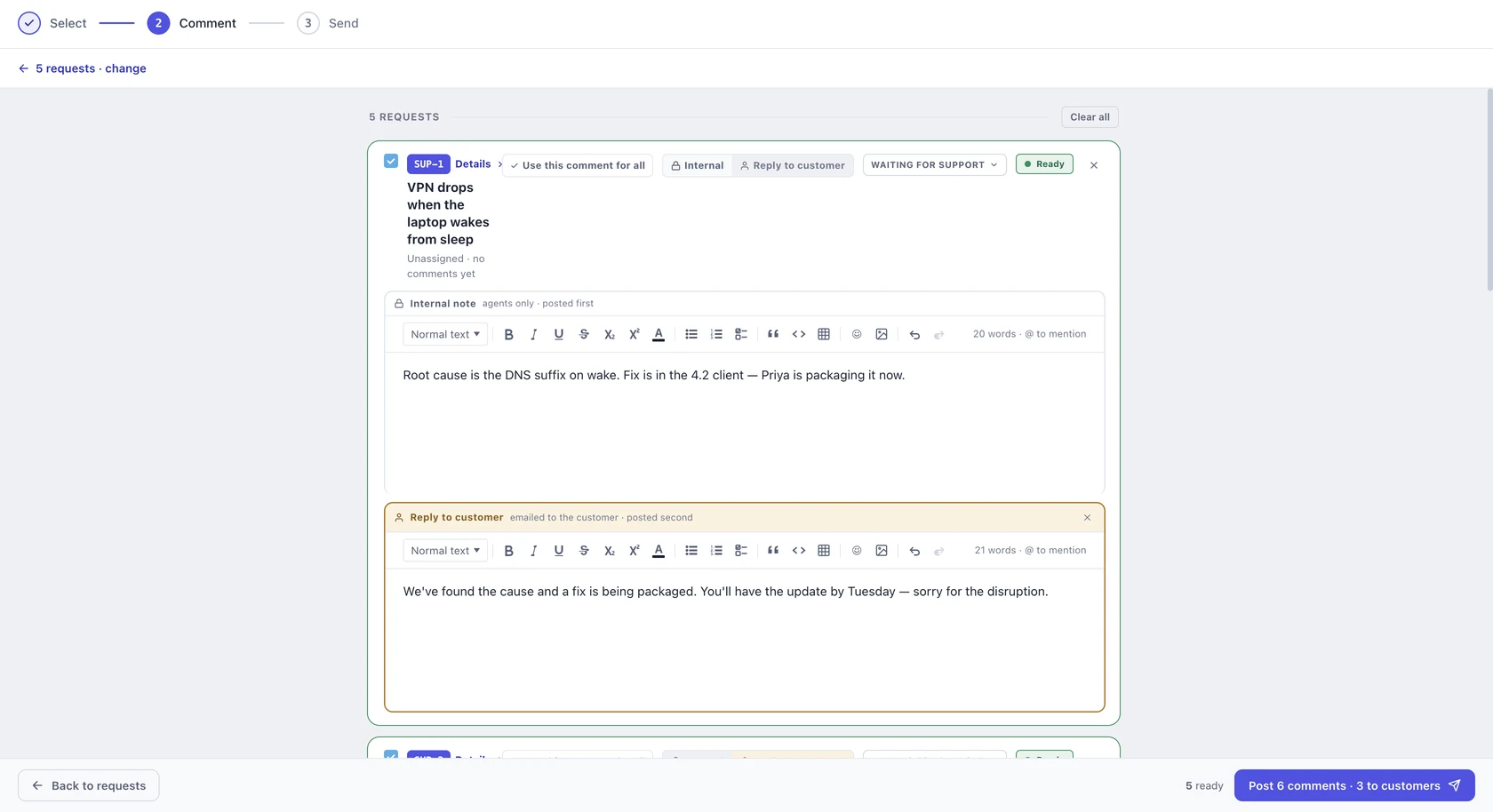
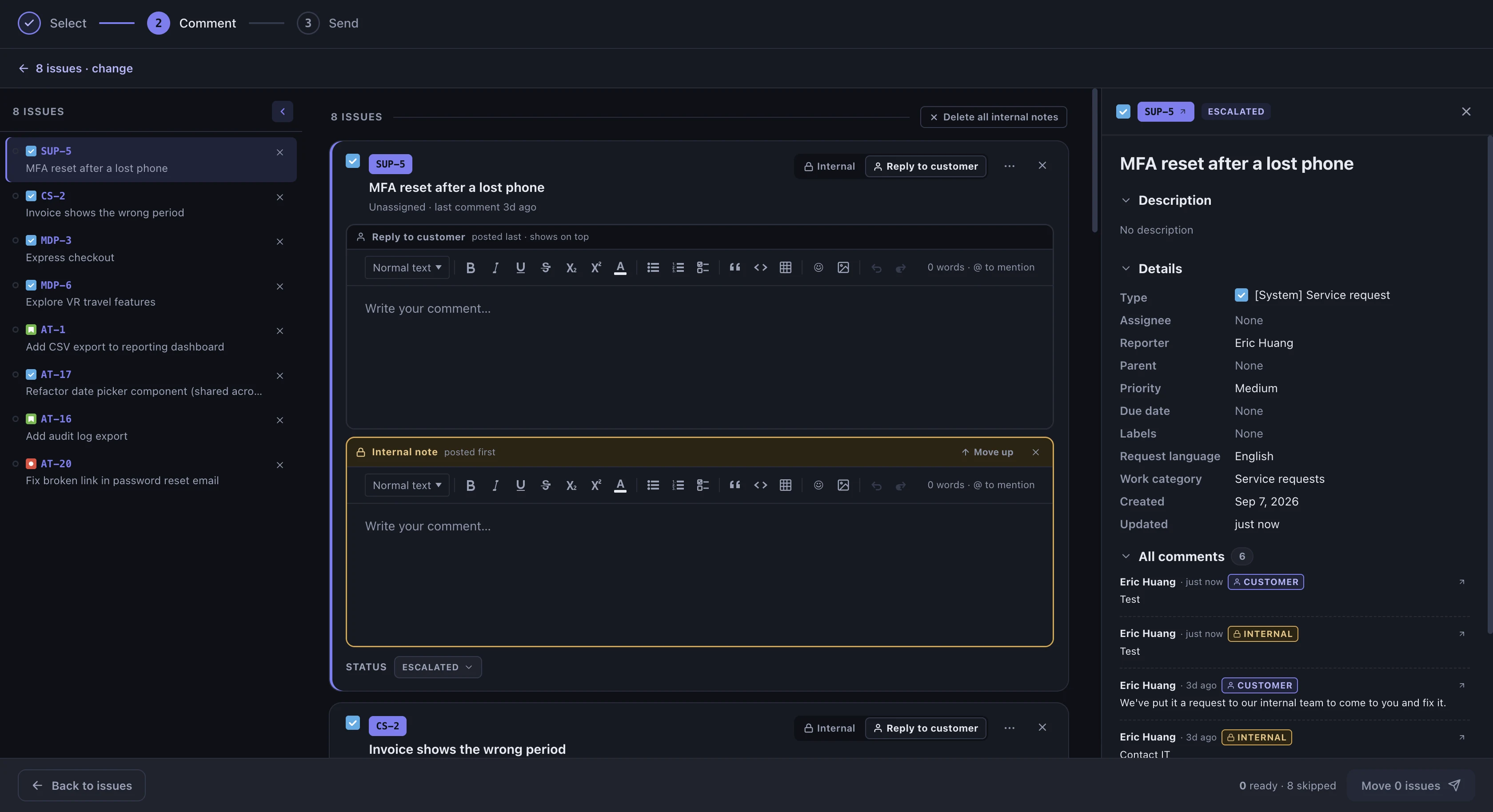
Write a rich-text comment — bold, lists, @mentions — and post it to up to 25 Jira issues at once. No more opening each ticket individually.

Replicate Comments Exactly, Media Included

Paste the link to an existing comment and copy it exactly as-is onto multiple tickets — images, videos and file attachments are copied automatically, with no manual re-uploading.

Jump In From Any Ticket

Copy a comment straight from any issue's ••• actions menu or the Activity panel's "Bulk Comments for Jira" tab — the most recent comment is auto-selected for a fast copy.

Secure & Atlassian-Approved

Built on Atlassian Forge — no external servers, no third-party data transfers. All data stays inside Atlassian's infrastructure.

How It Works

Three steps. Done in seconds.

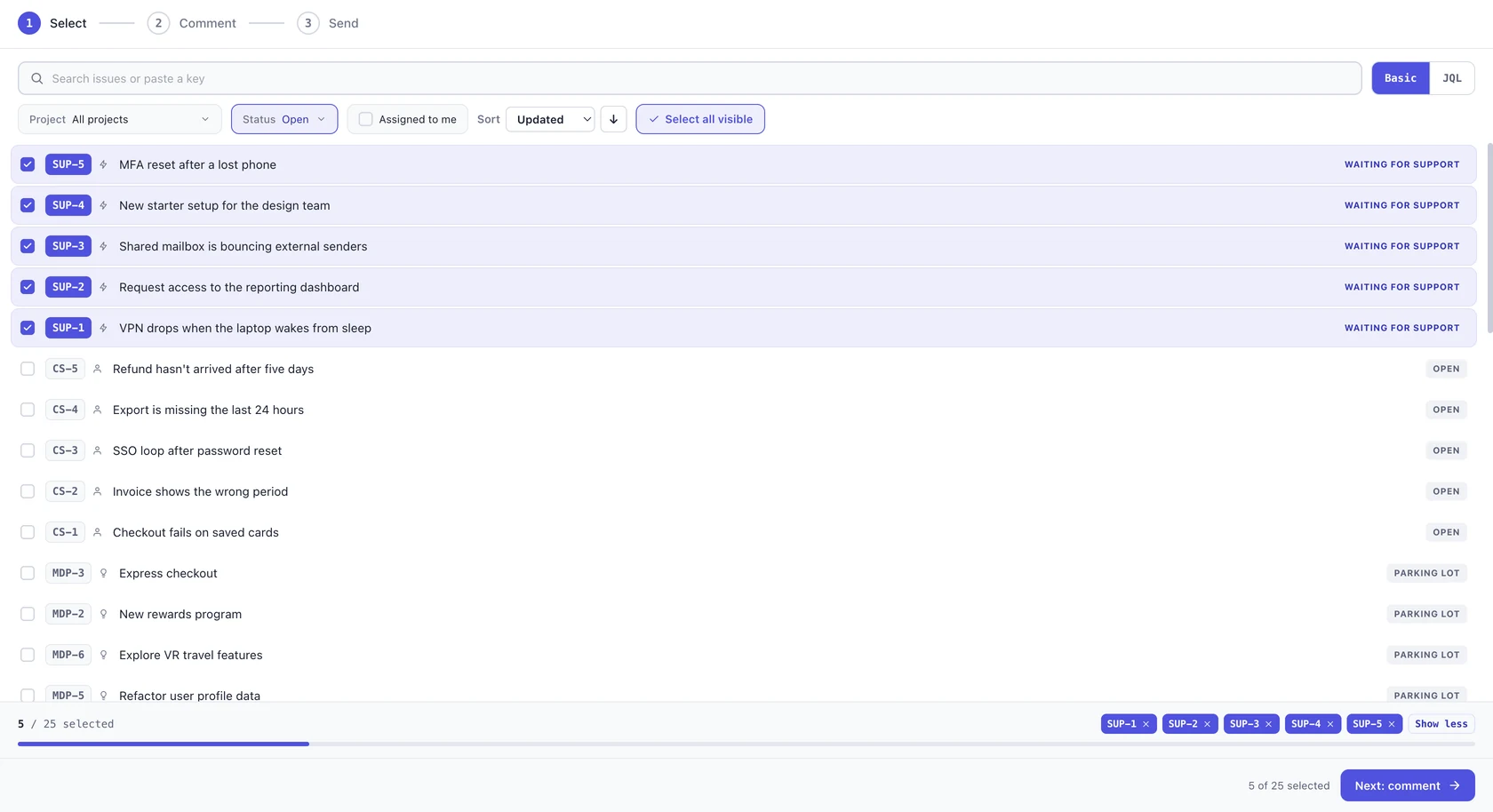
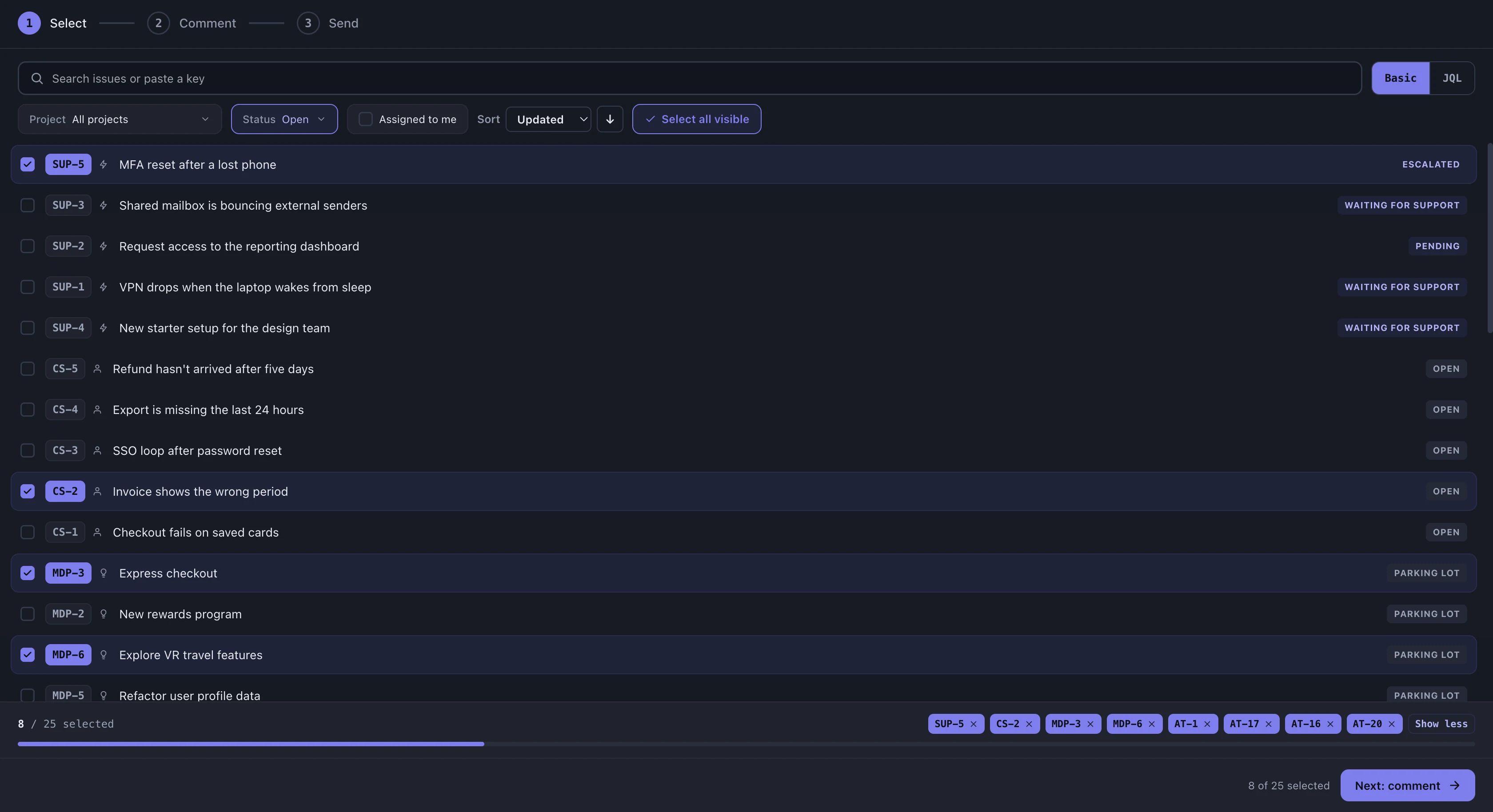
Open Bulk Comments for Jira from the left sidebar, any ticket's ••• actions menu, or the Activity panel's "Bulk Comments for Jira" tab.

Bulk Comments for Jira — compose mode, global page
Bulk Comments for Jira — replicate mode
Bulk Comments for Jira — select tickets

Pricing

Simple, usage-based pricing

Free for teams up to 10 users. Enter your team size to see your estimate.

Estimate your cost

Best for single Jira instance

Free for teams up to 10 users — no credit card needed.

Monthly Estimate

Adjust the slider to see
your live cost estimate.

FAQ

Frequently Asked Questions

Up to 25 issues per action, whether you're composing a new comment or replicating an existing one. Select your target tickets, and Bulk Comments for Jira posts to all of them at once — no more opening each ticket individually.
Compose lets you write a new rich-text comment — with formatting, lists and @mentions — and post it to multiple issues. Replicate copies an existing comment, including its images, videos and file attachments, onto other tickets exactly as-is.
Yes. Paste the link to a comment that includes attachments, and Bulk Comments for Jira copies the media directly between tickets — no manual downloading or re-uploading required.
Yes. Bulk Comments for Jira is built on the Atlassian Forge platform, so file bytes and comment data move directly between Jira tickets through Atlassian's own infrastructure — never through an external server we operate. There are no third-party API calls and no data stored outside your Jira instance.
Three places: the Bulk Comments for Jira page in your left nav, the "Bulk Comment" tab inside any issue's Activity panel, or the "Bulk Comment" option in an issue's ••• actions menu. The latter two auto-select that ticket's most recent comment so you can start copying immediately.

Support & Contact

Questions? We're here.

Reach us at support@datapingo.com — we typically respond within one business day.

Start bulk commenting on Jira issues in minutes.

Install from the Atlassian Marketplace — built on Forge, with all your data staying inside Jira.