
Open any Confluence page, click the ··· menu, and choose Copy — Confluence makes exactly one copy. There's no field to set how many, no way to name each one before it exists, and no way to point a batch at a destination up front. For a single page, that's fine. For the pages every team ends up recreating on a cycle — monthly reports, sprint retros, onboarding docs, project kickoffs — one-at-a-time copying turns into an afternoon of copy, rename, move, repeat.
What actually breaks when you copy pages one at a time
The pain isn't the first copy. It's the tenth. A few specific ways it goes wrong in practice:
- Naming drifts. "Report Jan," "January Report," and "2026-01 Report" all exist in the same space because three different people copied the source page on three different days.
- Pages land under the wrong parent. Confluence's native copy asks where to put this page, every single time — miss one click in a batch of twenty and it sits in the wrong spot for weeks before anyone notices.
- Labels don't always make the trip. If a report macro such as the Page Properties Report reads off a label, a copy that's missing it silently drops out of the report — not an error, just a gap nobody sees until someone goes looking for a record that should be there.
None of this is a Confluence bug. It's what happens when a one-at-a-time tool gets used for a batch job.
The four-step flow for cloning a page in bulk
Bulk Page Cloner for Confluence replaces the repeat-twenty-times loop with a single guided run: pick a source, name every copy up front, choose where they land, and create up to 25 at once.
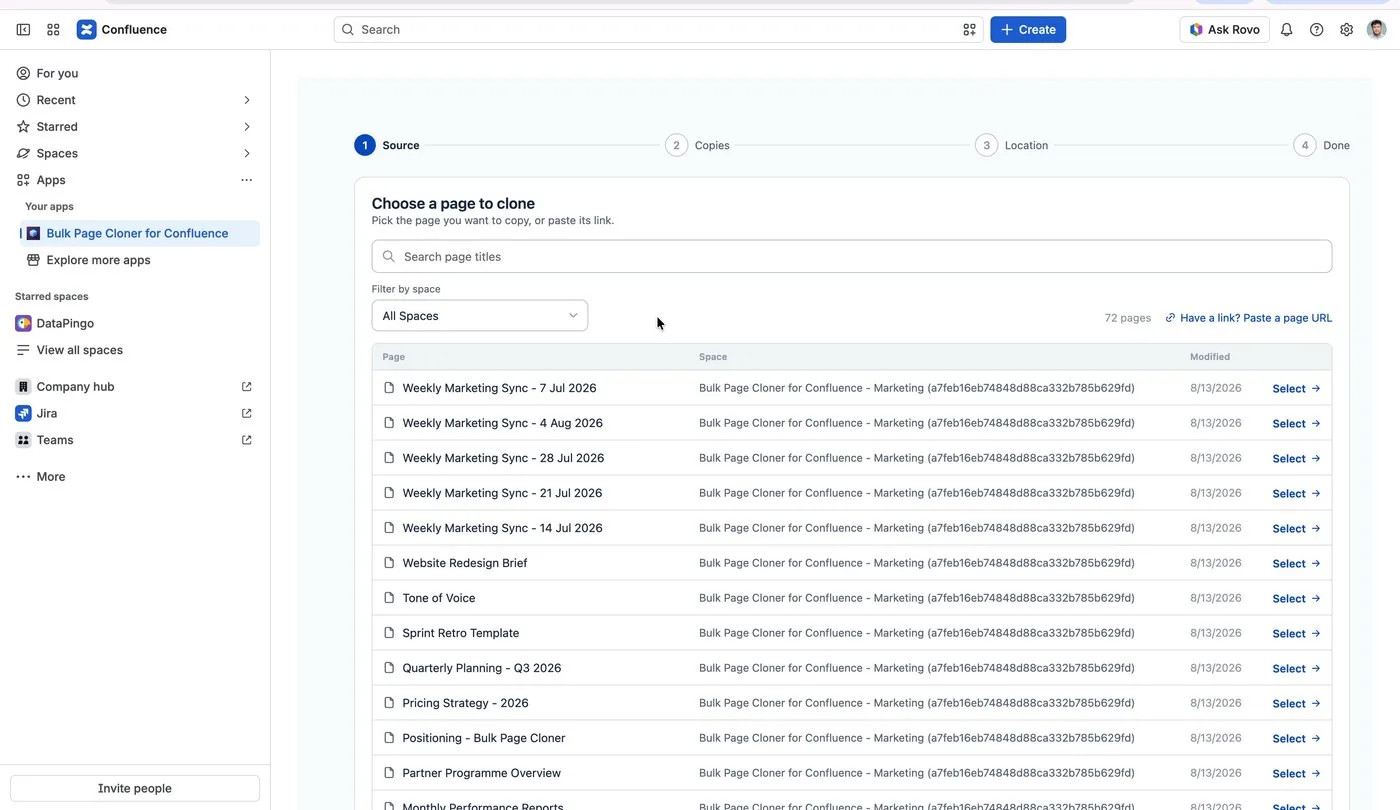
- Source. Search by title, filter by space, or paste a page's URL directly — the screen above is the real picker, mid-scroll through a live Confluence instance.
- Copies. Set how many you need, from 1 to 25, and type a title for each one before a single page is created. There's an auto-number shortcut for a numbered series, and a "copy first to all" shortcut when most titles share a pattern.
- Location. Choose the destination space, then how the batch is organized: as children of a page you pick, as new top-level pages, or under a brand-new parent created for the run.
- Done. A results screen lists every page that was created, with a direct link to each one.
The full documentation covers each step in more detail, including the naming shortcuts and every placement option.
This is a walkthrough of the actual workflow for cloning a Confluence page in bulk: what breaks when you do it by hand, the four-step flow that replaces it, and exactly what does and doesn't carry over to each copy.
Watch it in under 90 seconds
A real July report turning into five named, correctly-placed copies from a single pass through these four steps — same page, same tables, before and after.
What actually gets copied
The mechanism matters here, not just the marketing claim. Bulk Page Cloner clones through Confluence's own content copy API rather than rebuilding a page from scratch, which is the reason the result is a true copy and not an approximation: formatting, embedded images and video, macros, labels, and file attachments all transfer with the page, not as a separate step.
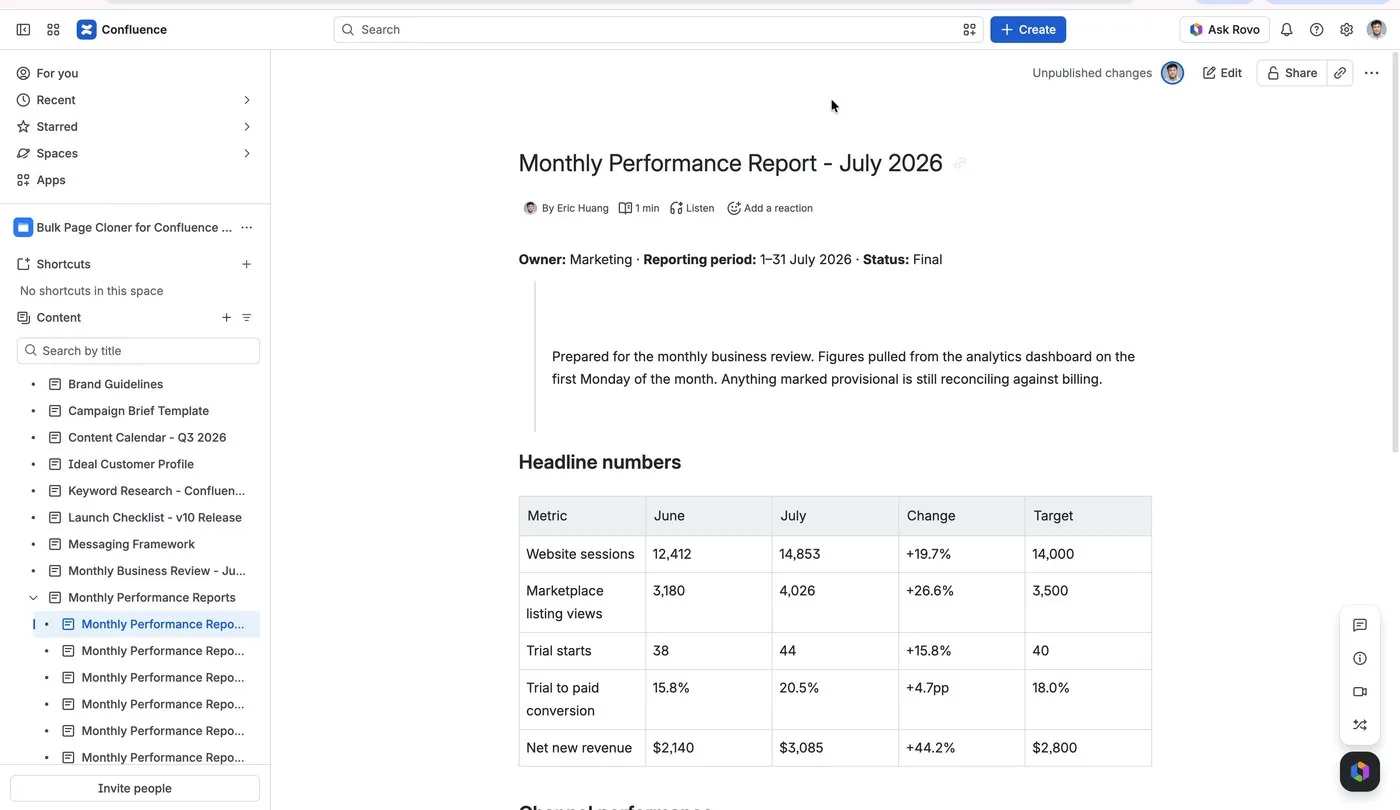
That distinction is worth being specific about, because it's also where a naive "recreate the page" approach falls down. A page rebuilt from stored HTML rather than copied natively can lose attachments entirely — video and files show up as "Preview unavailable" instead of playing. The native copy path doesn't have that failure mode, because the attachments move with the page instead of being reconstructed.
One tradeoff worth knowing up front: a copy is a real, independent page, not a link back to the original. Attachments come along with every copy, so a 50 MB video cloned 25 times uses roughly 1.25 GB of your Confluence storage — the same as attaching that file 25 separate times by hand, just faster to create.
A real example: a year of reports in one pass
The most common pattern is a page that repeats on a schedule. Take one finished report — July's, say — and generate the rest of the year from it in a single run: August through December, five names typed before any of them exist, all landing as children of the same "Monthly Performance Reports" parent the July page already lives under. That's the exact scenario in the four-step flow above, and it works the same way for sprint retros, per-client project pages, or any other page that gets rebuilt on a cycle.
The same pattern, set up as a routine: recurring Confluence pages.
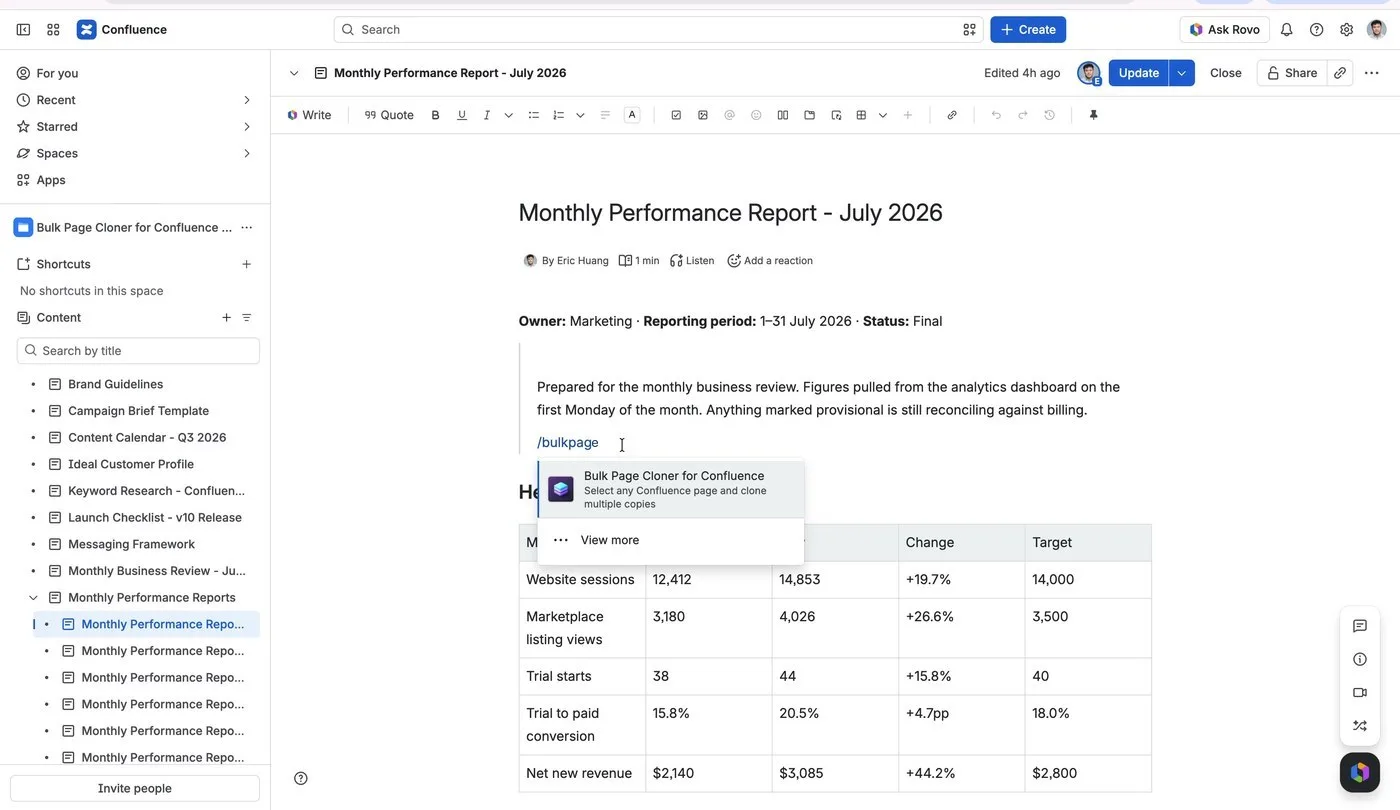
The app is reachable from inside the page you're already editing, too — type
/bulkpage in the editor and it appears as a suggested action, no separate tab required.What it costs
Bulk Page Cloner is free for teams of 10 users or fewer. Above that, it's priced by user count through the Atlassian Marketplace and billed on your existing Atlassian invoice — no separate vendor to set up, roughly $56/mo for an 80-user team as a reference point. Paying annually instead of monthly saves 17%. A 30-day free trial is available at any team size before you commit to anything.
Frequently asked questions
How many copies can I clone at once?
Up to 25 copies of one page in a single run, each named before you clone.
Can I clone a page into a different space?
Yes. The Location step lets you choose any space you have access to, independent of where the source page lives.
Will formatting, macros, and attachments survive the copy?
Yes — cloning goes through Confluence's native copy API, which copies content, formatting, macros, labels, and attachments as part of the copy itself rather than reconstructing them afterward.
Is it safe to use on a live production space?
The app runs on Atlassian Forge, which means it operates inside your existing Confluence infrastructure with no external servers involved — the same trust model as Atlassian's own built-in features.
Ready to try it on your own instance? Bulk Page Cloner for Confluence is on the Atlassian Marketplace, with a free 30-day trial and no setup beyond installing it. New to Bulk Page Cloner? See what's new in the latest release.
.png)
Try Bulk Page Cloner