.png)

Jira isn’t one product any more. The same site can hold an engineering project, a Jira Service Management (JSM) project, a Customer Service Management project and a Jira Product Discovery board. All four have comments, but a comment doesn’t mean the same thing in each of them.
Bulk Comments was built for Jira issues, where a comment is just a comment. On a service request it’s one of two very different things: an internal note your team reads, or a reply that emails your customer. Version 4.6.0 brings Bulk Comments to all four products, and each one gets the kind of comment it actually needs.
What works where
The app reads which product each issue lives in and adjusts to it. There’s nothing to set up.
| Product | You select | You can post |
|---|---|---|
| Jira | Issues | A comment |
| Jira Service Management | Requests | An internal note, a reply to the customer, or both |
| Customer Service Management | Requests | An internal note, a reply to the customer, or both |
| Jira Product Discovery | Ideas | A comment |
The wording follows your selection too. Pick five requests and the app says 5 requests. Pick ideas and it says ideas. Mix products and it falls back to issues.
Why requests needed their own treatment
In Jira, everyone who can see an issue reads its comments. In JSM and Customer Service Management, a comment goes one of two ways:
- Internal note. Seen by agents only. It’s where the team records the root cause, the workaround and who’s on it.
- Reply to customer. Reaches the customer and emails them the moment it posts.
A comment can be deleted. The email it already sent can’t.
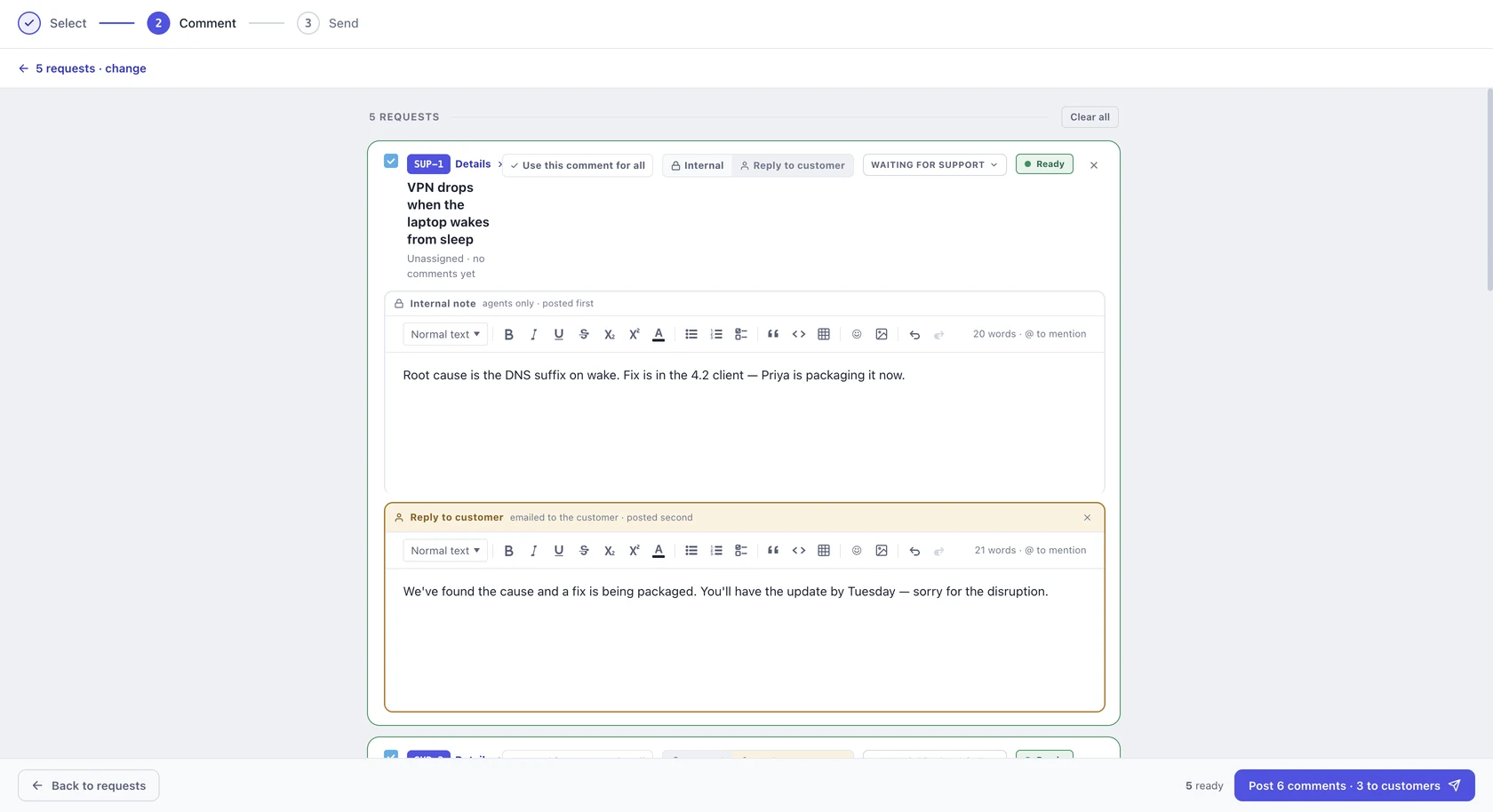
That’s why the choice sits on each request rather than on the whole send. One run can answer three customers and leave two notes for the team. Each option is covered step by step in replies and internal notes on JSM requests.
How a send works now
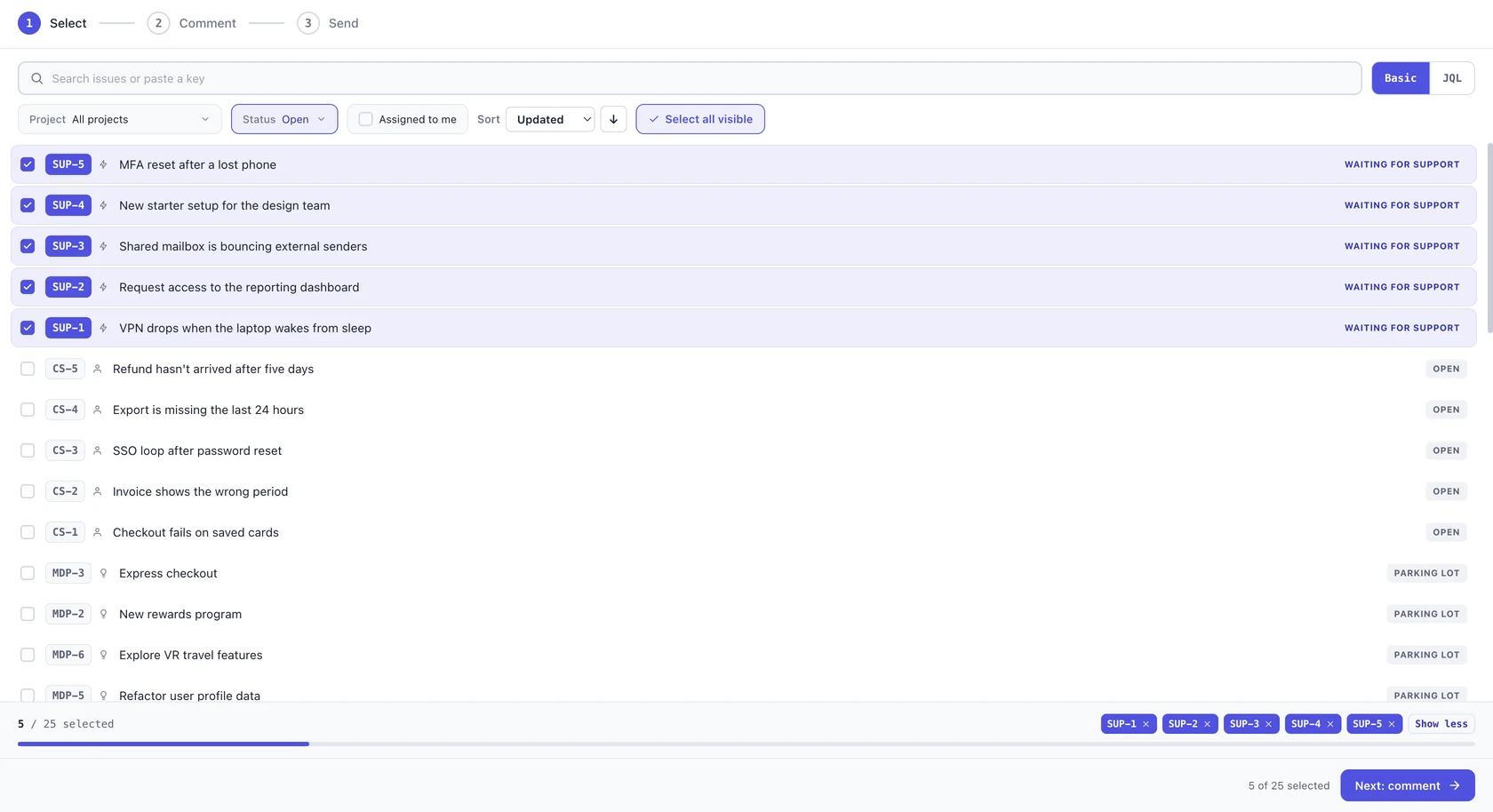
1. Select. Search, filter by project, or switch to JQL. Issues from every product sit in the same list, up to 25 per send.
2. Comment. Every issue gets its own card. On service requests, each card starts as an Internal note, and you switch it to Reply to customer when the customer should hear it. One request can carry both, the note for your team and the reply for your customer, written on the same card. You can move each issue’s status in the same step.
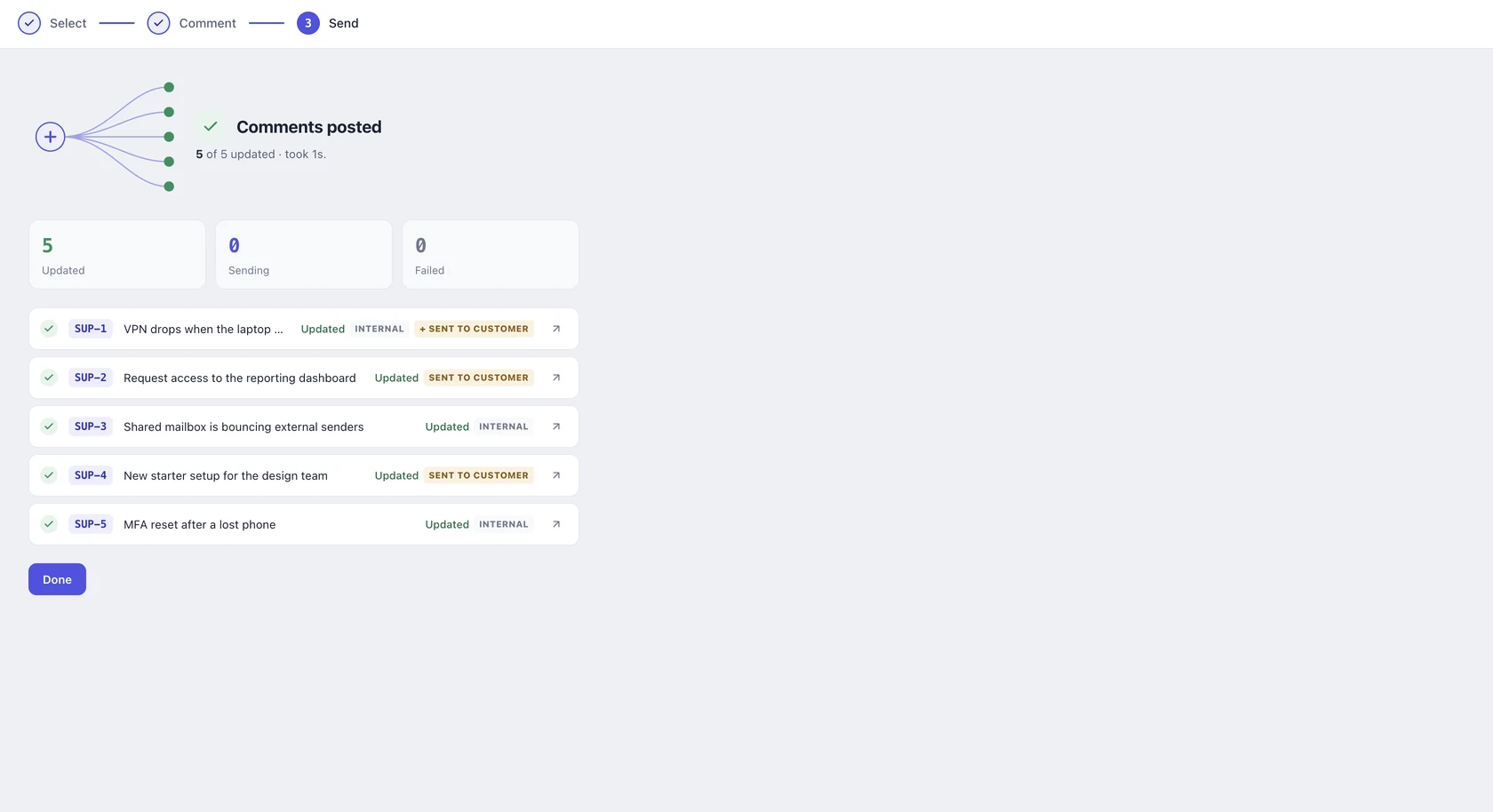
3. Send. If any reply will reach a customer, Bulk Comments asks first, and the confirmation leads with how many customers are about to be emailed. Once it’s done, every issue shows exactly what it got.
Built so a note never becomes an email by accident
- Internal is the default. Jira treats a comment that doesn’t say who it’s for as a reply to the customer. Bulk Comments starts every request on internal, so a customer reply is always something you chose.
- Customer replies always ask first. A send that emails even one customer asks you to confirm, however small it is.
- When in doubt, it stays internal. If the app can’t confirm which kind of project an issue belongs to, it posts an internal note.
- There’s no undo. It was removed in 4.6.0. Deleting a comment can’t recall an email that’s already gone, so the confirmation before the send does that job instead.
One comment for all is still there
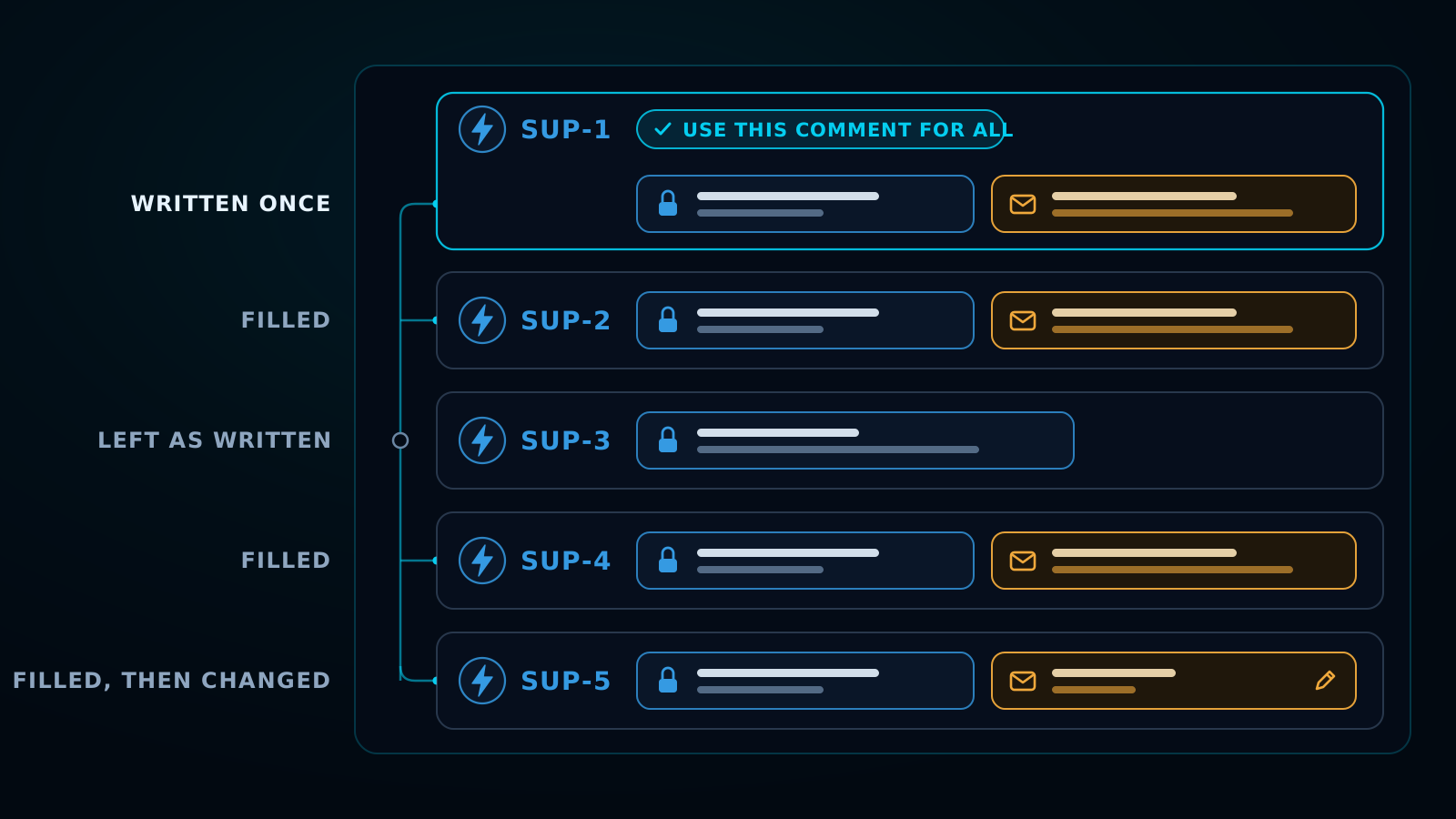
Sometimes every issue needs the same update: an outage is fixed, or a release has shipped. Write it once and press Use this comment for all. It fills every empty card, internal or customer setting included, and overwriting cards you’ve already written takes a second press. Then change the few that need saying differently.
The incident and release updates use case walks through that pattern end to end.
What hasn’t changed
- Up to 25 issues per send, all from one page.
- Comments post under your name, not the app’s.
- Files, images and video attach to comments the way they do in Jira.
- Runs on Atlassian. Built on Forge, with nothing leaving your Atlassian Cloud site.
- Free for teams up to 10 users. Above that, it’s billed through the Atlassian Marketplace.
Frequently asked questions
Does Bulk Comments for Jira work with Jira Service Management?
Yes. Since version 4.6.0 it works in JSM and Customer Service Management, with a choice of internal note or reply to customer on every request.
Can I post an internal note and a customer reply on the same request?
Yes. One card can carry both, and the send counts them as two comments.
Will a bulk send email my customers?
Only the requests you set to Reply to customer. Every request starts as an internal note, and any send that includes a customer reply asks you to confirm first.
Does it work with Jira Product Discovery?
Yes. You can select ideas and comment on them the same way you would on Jira issues.