.png) Jira
Jira
Incident and Release Updates in Jira
A practical workflow for teams that need to update many Jira issues after a single event — an incident resolved, a release shipped, a dependency upgraded.
Key Takeaways
- Update up to 25 Jira issues in one pass instead of opening each one
- Write one comment, copy it to the rest from that card’s “•••” menu, then change only the ones that need saying differently
- On Jira Service Management, choose an internal note or a customer reply per request
Scenario
Fix one incident, or ship one release, and a pile of Jira issues all need updating at once — each with someone on the other end waiting to hear what happened.
Here are four of them on one page, and none of them need quite the same message:
PROJ-101andPROJ-104get the engineering detail — the root cause, and the version the fix shipped in — and both move to DoneSUP-88gets two comments: a customer reply confirming service was restored, and an internal note carrying the incident link for the teamSUP-92gets an internal note only — the case is still being looked at, so nothing goes to the customer and its status stays where it is
When every issue needs the same words
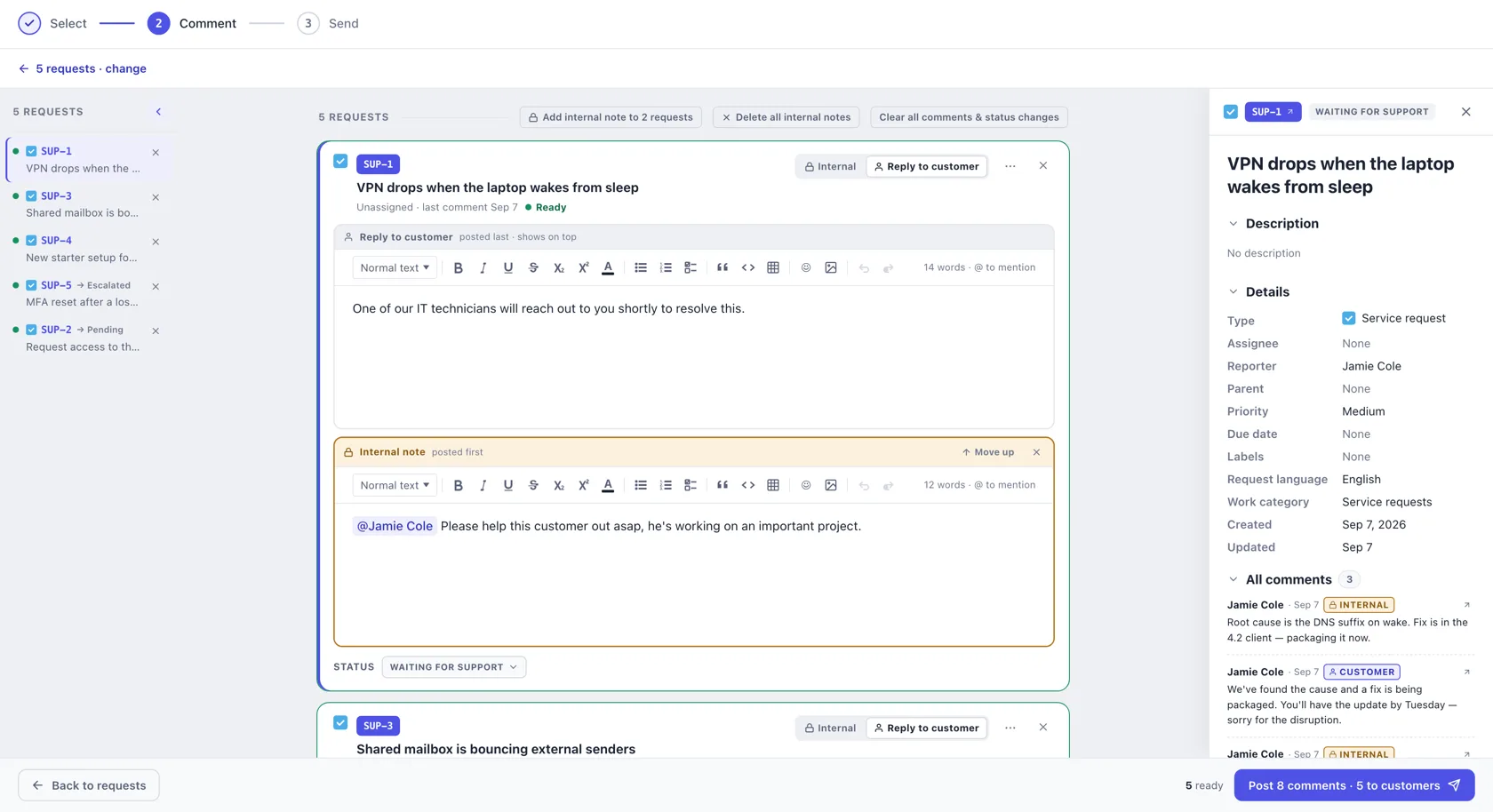
Not every batch needs a different message. A release ships and all of them get the same line. Write it on one card, open that card’s ••• menu and pick Copy this comment to 3 issues, and it lands on every other card in the batch — as a copy, not a link, so you can still change the one or two that need saying differently.
Common examples
- An incident is resolved and every linked issue needs a resolution note
- A release ships and each issue in it needs the version it landed in
- A dependency upgrade closes out a batch of related work
- Sprint closeout, where each carry-over issue needs its own reason
- A service outage where every affected request needs a customer reply
Where it breaks down
Commenting on one issue is quick. The same job across twenty is a different problem.
- Twenty issues means twenty tabs and twenty pastes
- Writing a specific update for each is slow, so one generic message gets used everywhere
- On service projects, an internal note gets posted as a customer reply by mistake
- Issues get skipped, and nobody notices until someone asks
Recommended workflow
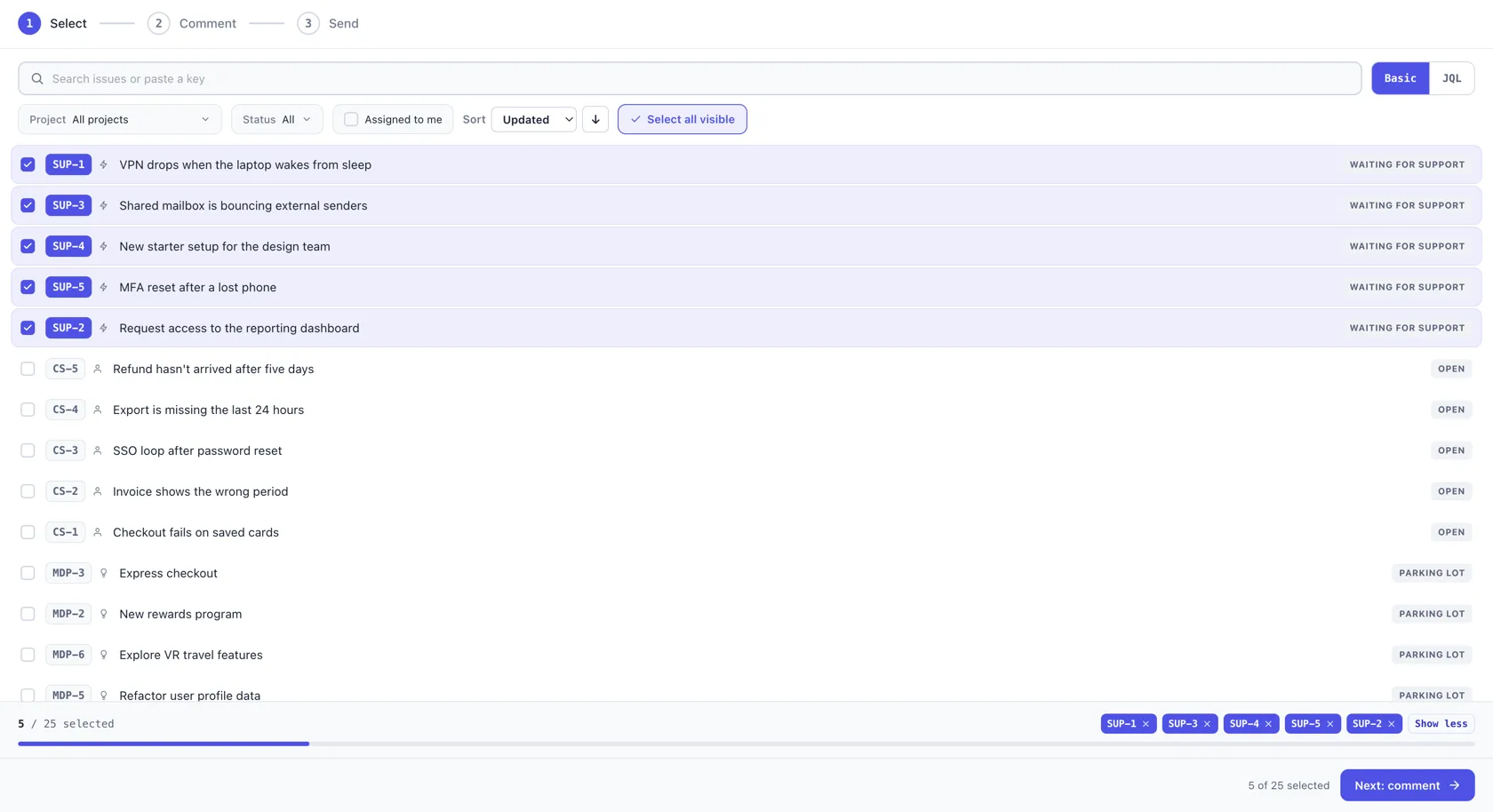
Select. Find the affected issues — search by keyword or paste an issue key, narrow by project and status, or switch to JQL for something more precise. Pick up to 25 in one go.
Comment. Every issue you picked becomes a card with its own comment box, all on one page, with a list down the left to jump between them and a read-only panel on the right that follows whichever card you are writing in. Write one, copy it to the rest from that card’s ••• menu, then edit the cards that need different wording — or write each from scratch. On Jira Service Management and Customer Service Management, choose an internal note or a reply to the customer — and one request can carry both, the reply on top because that is how Jira will show them.
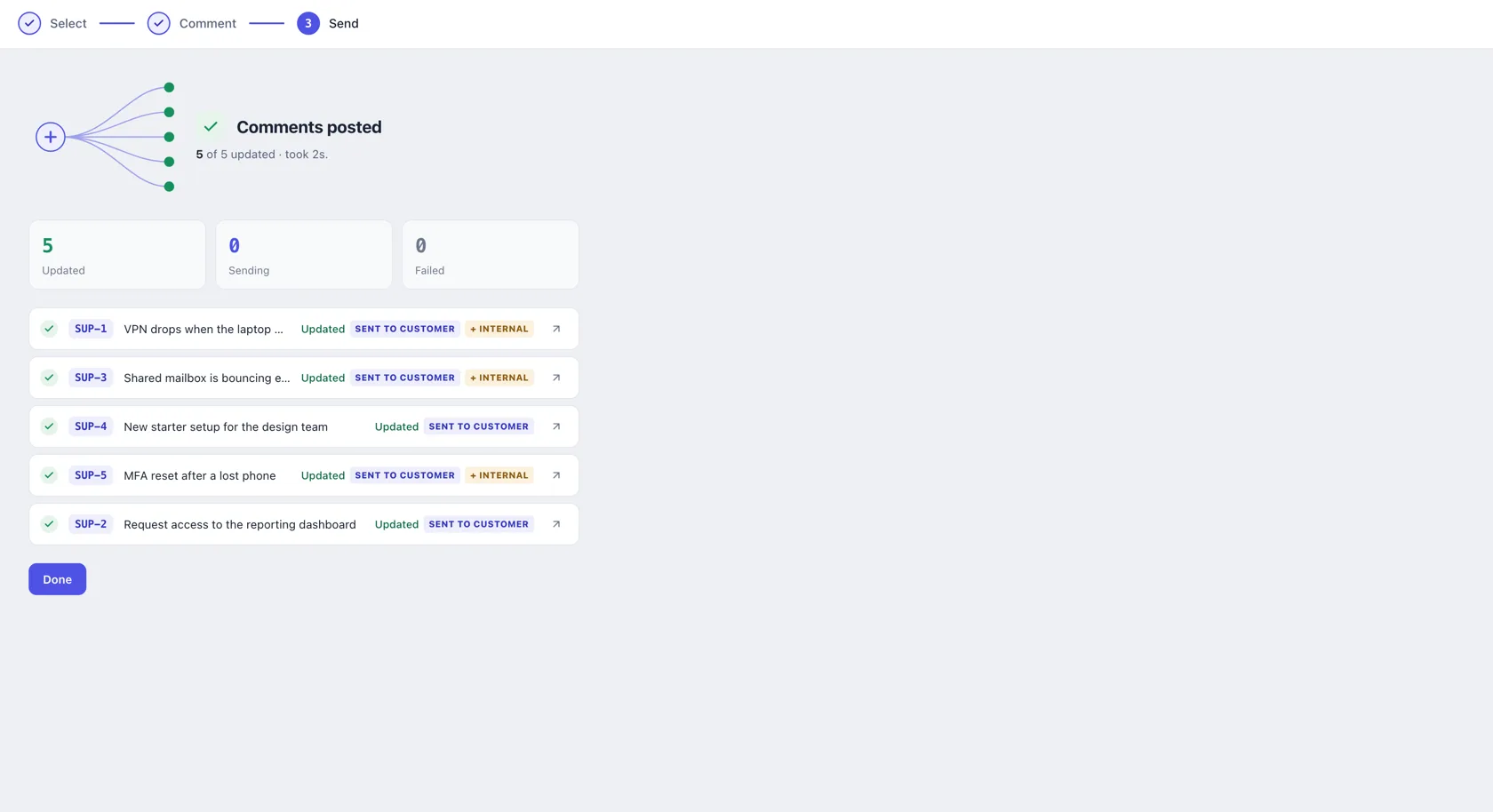
Send. Set a status under any comment box while you write. Before anything posts, a confirmation names exactly how many customers will be emailed. Then all the comments go out in a single send, and every row says what happened to that issue — posted, not sent, or a status change Jira refused. Retry picks up whatever did not post and leaves anything that did alone, so an incident update is never sent twice.
Expected outcome
- Every affected issue updated in one pass
- Each issue keeps its own detail
- Customer-facing replies chosen on purpose
- Status changes happen alongside the comment
Try it with Bulk Comments for Jira
Available on the Atlassian Marketplace for Jira Cloud.